Internal concept project — not a client engagement
Internal Product / Working Demo
StudioFlow
A premium client portal built for modern agencies and service businesses — projects, timelines, feedback, files, invoices, and communication in one platform.
Internal product / working demo
View live demoExecutive Summary
StudioFlow is a working client portal created to explore how agencies and service-based teams might manage projects, timelines, feedback, files, invoices, and communication in one centralized platform. Designed as an internal product and portfolio case study, it shows an approach to clean, functional, business-focused digital systems for team workflow and client experience. StudioFlow covers SaaS-style patterns for service businesses: user experience, workflow logic, web application structure, and structured service delivery surfaces.
Screenshot walkthrough
Each screen is part of the real product—what users see when they use the platform. The descriptions below explain what the screen does and why it matters.
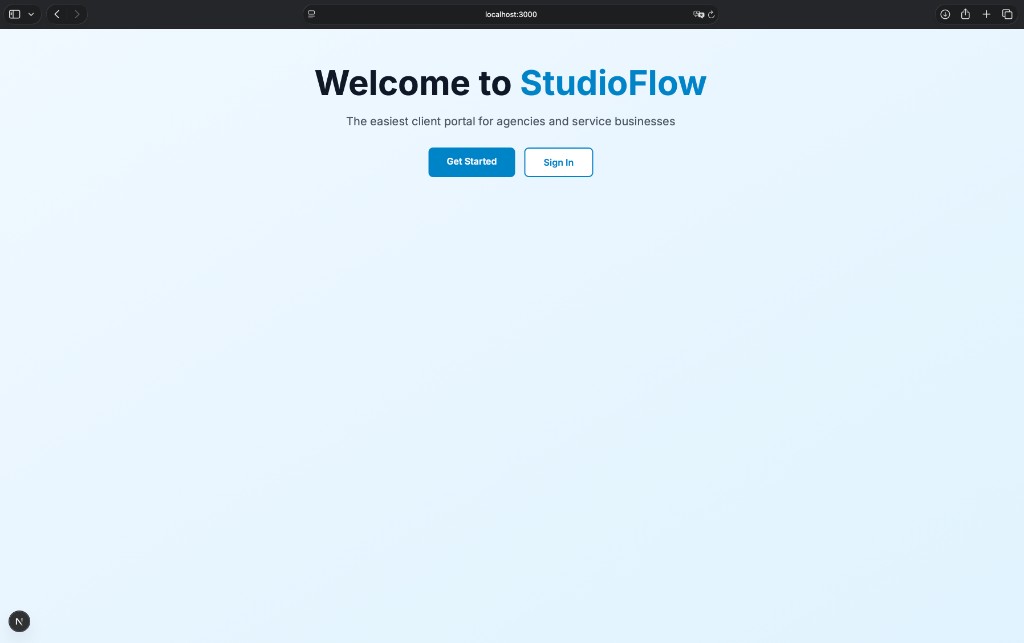
The StudioFlow landing page is the main entry point for the product. A clear headline and tagline explain the value proposition—the easiest client portal for agencies and service businesses—while two primary actions, Get Started and Sign In, sit prominently so new and returning users know exactly what to do. The layout is minimal and product-led, with no clutter, so the first impression is professional and focused.
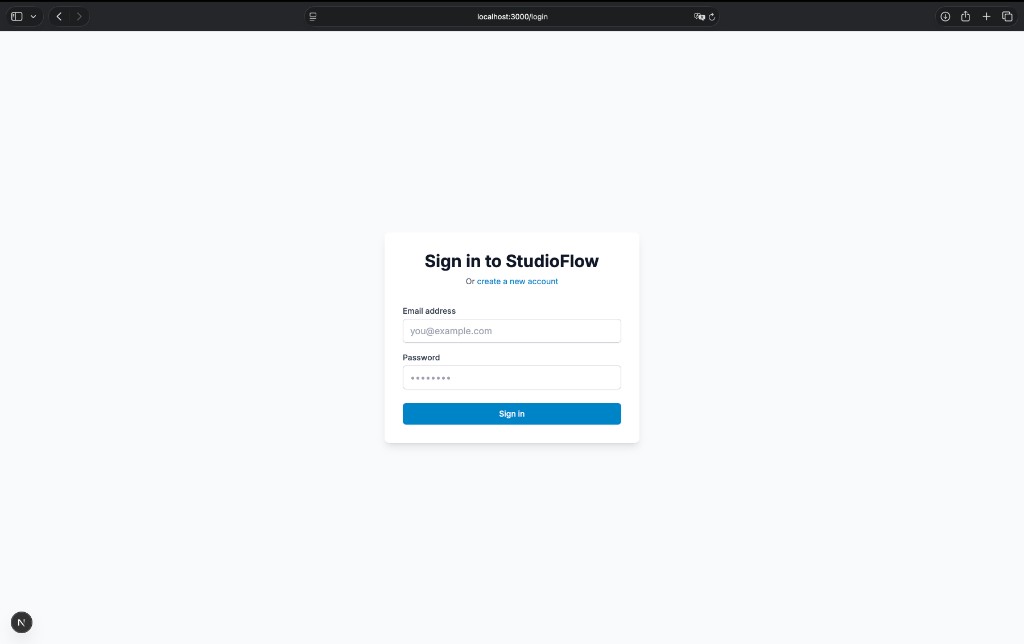
The sign-in screen keeps the experience simple: email and password fields with a single Sign in button. A link to create a new account is placed where returning users can ignore it and existing users can quickly access their workspace. The form is centred on a light card against a soft background, reducing visual noise and making authentication feel fast and low-friction.
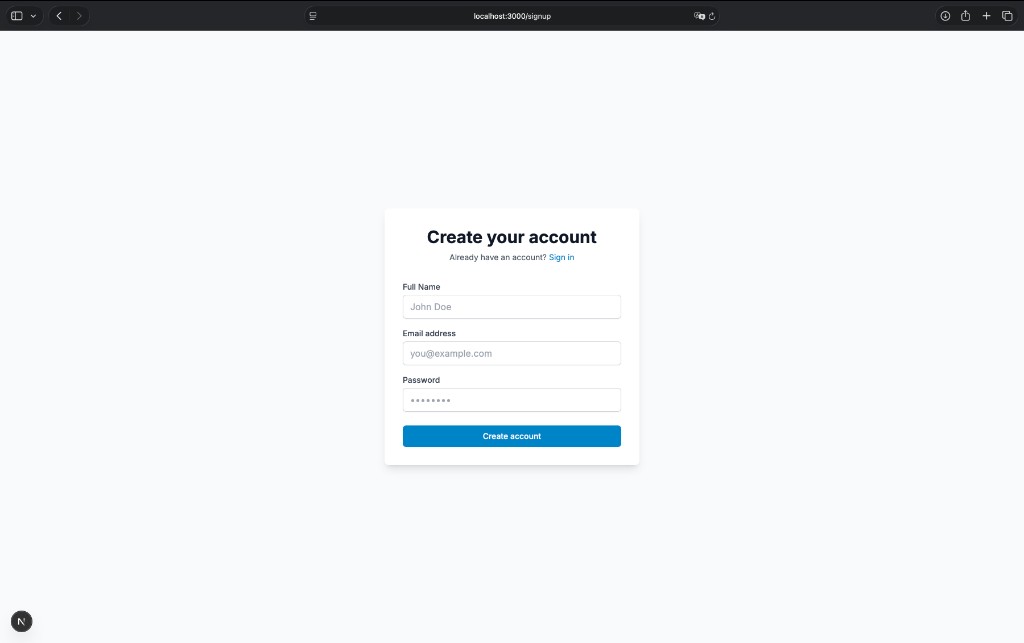
New users see a straightforward Create your account form with full name, email, and password. Placeholder text and a short hint (e.g. password length) set expectations without overwhelming. The primary CTA is a full-width Create account button, and a link to sign in is available for users who already have an account. The flow is designed so agencies can onboard new clients in one clear step.
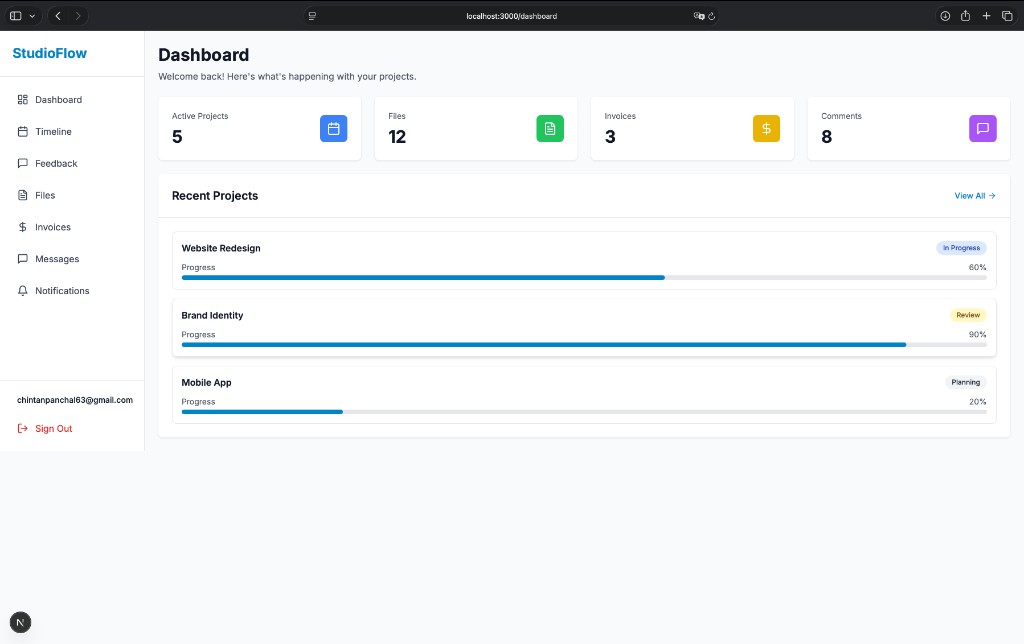
After login, users land on the dashboard: a single control centre for all project activity. Summary cards show active projects, file count, invoices, and comments at a glance. Below, a Recent Projects list displays each project with a status label (e.g. In Progress, Review, Planning) and a progress bar so clients can see how far along work is without opening multiple tools. The layout prioritises clarity and immediate visibility of what matters most.
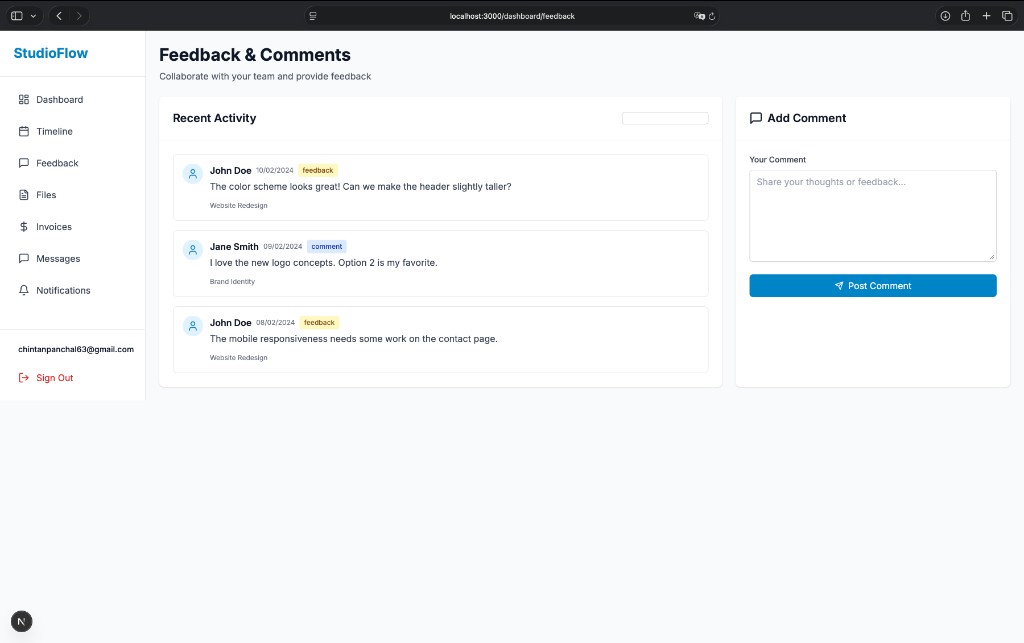
The Project Timeline view turns delivery into a visible sequence of milestones. Each item shows a title, short description, due date, and status (e.g. completed checkmark or in-progress icon), and is grouped by project (e.g. Website Redesign, Brand Identity). Clients can see what’s done, what’s next, and when things are due, which reduces back-and-forth and builds confidence in the process.
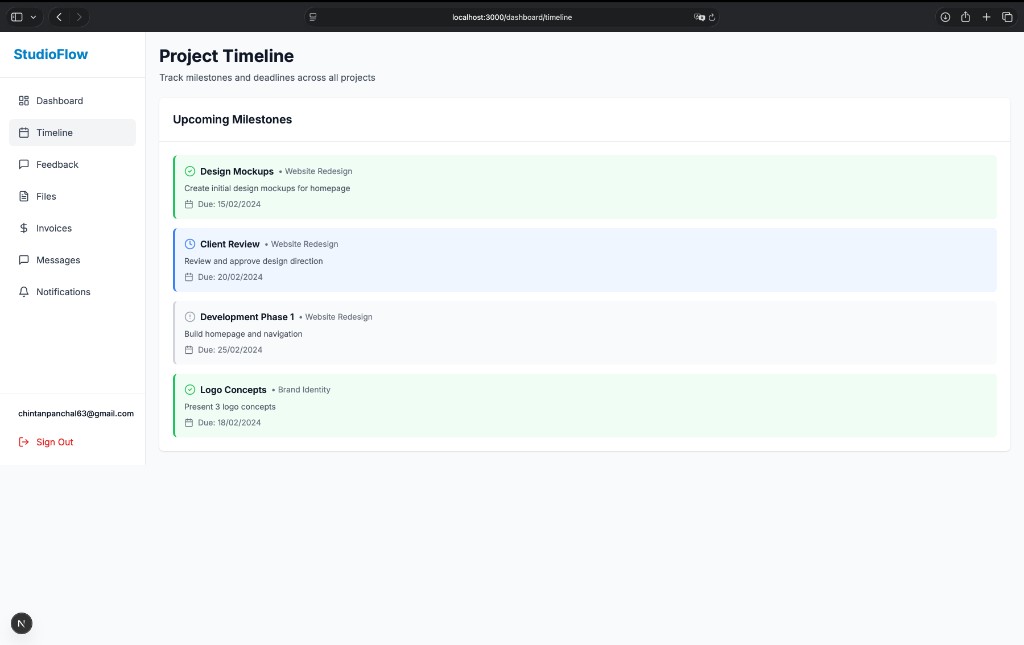
The Feedback & Comments area keeps collaboration in one place. A Recent Activity feed shows who said what and when, with tags to distinguish feedback from general comments. A separate Add Comment panel lets users submit new feedback with a single field and Post Comment button. This structure replaces scattered emails and threads with a clear, auditable record tied to the project.
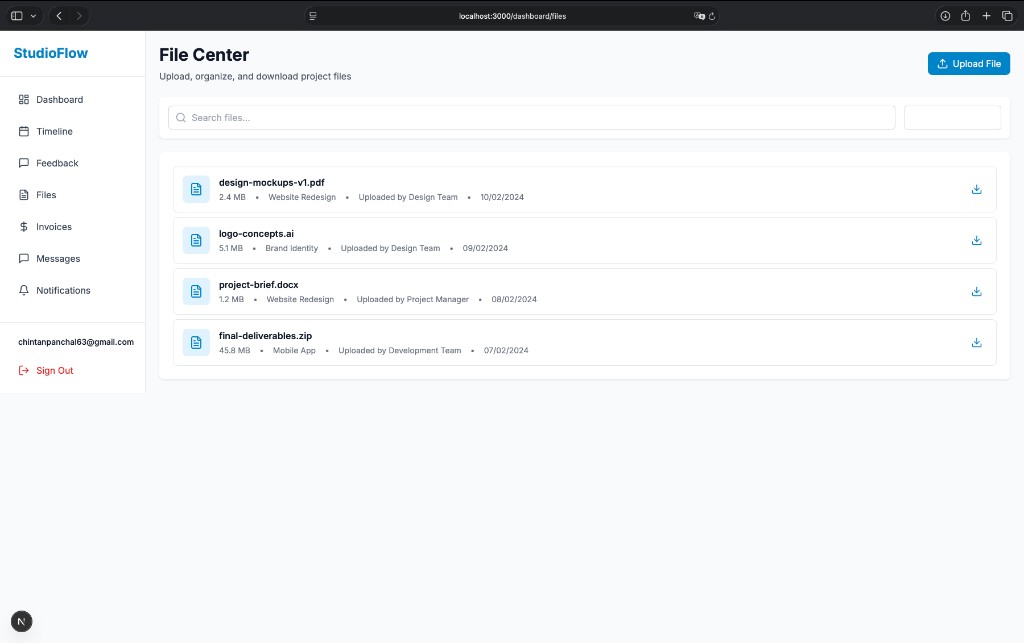
The File Center is the single place for project assets. Users see a list of files with name, size, category (e.g. Website Redesign, Brand Identity), who uploaded them, and date. An Upload File button and search bar support adding and finding files quickly. Each row has a download action so clients can pull deliverables without chasing links or email attachments.
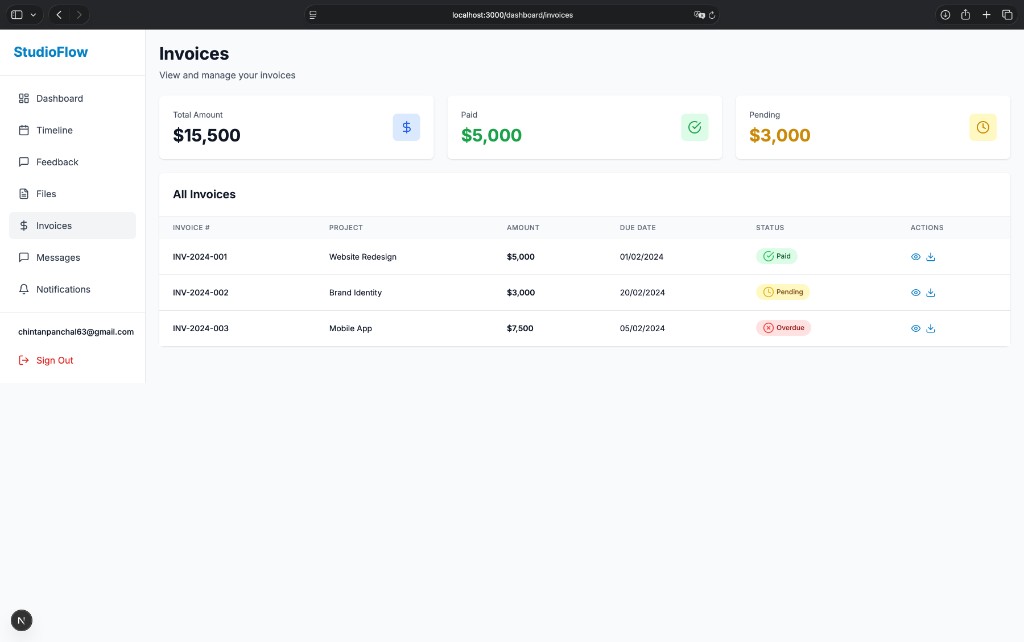
The Invoices section gives clients a clear view of billing. Summary cards at the top show total amount, paid amount, and pending balance. A table below lists each invoice with number, project, amount, due date, and status (Paid, Pending, Overdue). View and download actions let users check details or save copies. This keeps money and scope aligned and reduces awkward follow-ups.
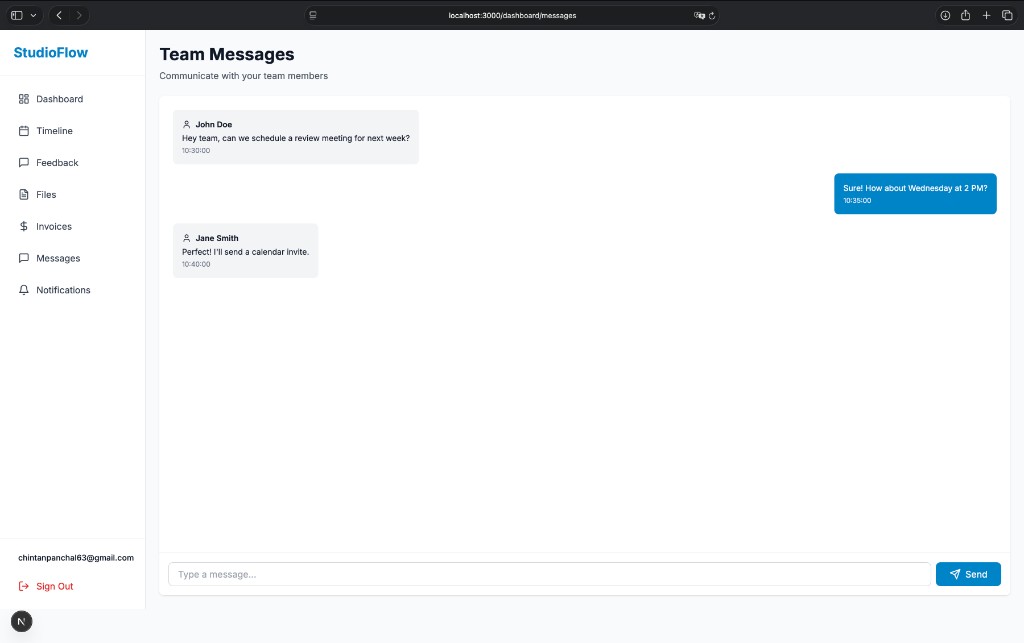
Team Messages bring conversation inside the portal. Messages appear in a familiar chat layout: others’ messages on one side, the current user’s on the other, with timestamps. A text input and Send button sit at the bottom so discussions about the project happen in context instead of in separate email or Slack threads. Communication stays tied to the work.
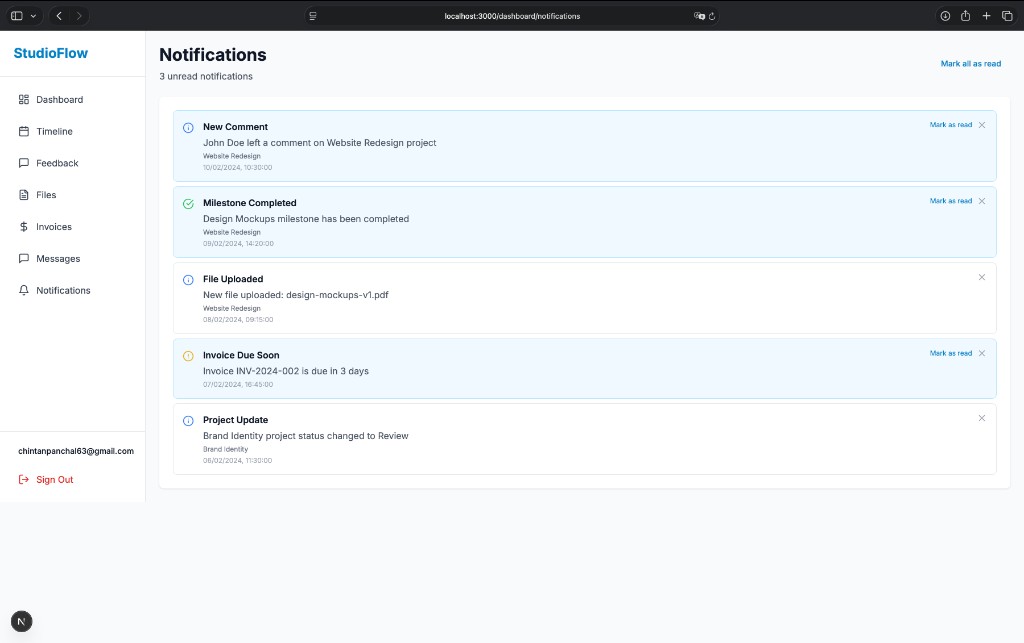
The Notifications area acts as an activity feed for the whole project. Each card shows a type (e.g. New Comment, Milestone Completed, File Uploaded, Invoice Due Soon), a short description, the related project, and the date. Users can mark items as read or dismiss them. This centralises updates so nothing is missed and clients stay informed without checking multiple places.
Product context
StudioFlow is an original internal product created as an internal concept to explore how we solve real workflow and client experience challenges through design and development. It is presented as a working product showcase for agencies and service businesses.
The Problem
For many agencies and service providers, the client journey becomes harder to manage once a project begins. Common challenges include scattered communication across multiple channels, unclear project progress and milestone visibility, slow review and approval cycles, unorganized file delivery, disconnected invoice tracking, and fragmented client communication. These issues affect trust, efficiency, and the overall quality of delivery.
- • Scattered communication across multiple channels
- • Unclear project progress and milestone visibility
- • Slow review and approval cycles
- • Unorganized file delivery
- • Disconnected invoice tracking
- • Fragmented client communication
Our Approach
We designed and built StudioFlow as a centralized workspace where clients can log in and manage every important part of their project in one place. The platform allows users to access a personalized dashboard, track active projects and milestones, review project timelines, leave comments and feedback, upload and download files, check invoice status, communicate through built-in messaging, and stay informed through notifications. Rather than relying on multiple disconnected tools, StudioFlow creates one structured digital environment for collaboration and delivery.
Design Principles
- • Clarity — simple structure, generous spacing, straightforward navigation
- • Professionalism — trust, usability, product experience suitable for real business use
- • Scalability — layout and modules designed to expand into a larger SaaS platform over time
Services demonstrated in this project
What this demonstration shows
StudioFlow was developed as a working internal product to explore design and development patterns for modern client-facing systems. It covers UI/UX design (user flows, dashboard, portal structure, feedback and file UX), SaaS development (auth, dashboards, modules, invoices, messaging), and web development (landing, login/signup, authenticated multi-page interface). It is an internal reference for portal, SaaS, and workflow delivery patterns — not paying-client evidence.
Independent concept project created by uncodeworld. It was not commissioned by or delivered for an external client.
Related services
This project used or relates to the following services and solutions.
Have a Similar Challenge?
Let's design a solution that actually works.